clia
clia is an advanced, conversational AI assistant for software engineering, implemented as a command-line tool (CLI) and a web UI.
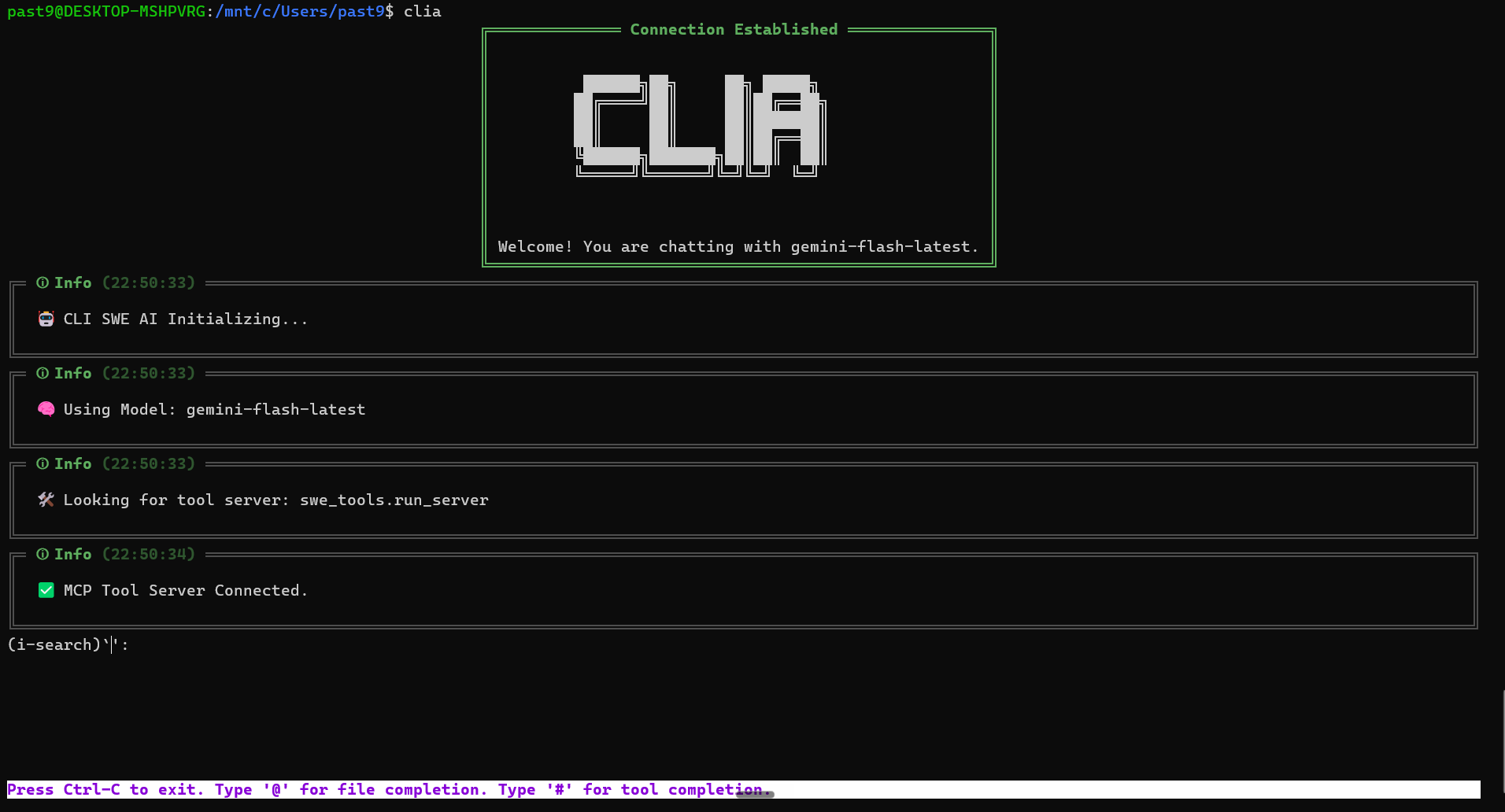
Building an Autonomous Local Software Engineer: The "clia" AI Assistant
Introduction
As large language models (LLMs) grow more capable, the next frontier is enabling them to perform complex, multi-step tasks in the real world—specifically, interacting with a local developer environment. The "clia" project is a comprehensive effort to build a powerful, yet transparent and safe, Software Engineering (SWE) AI assistant. Implemented primarily in Python, clia provides both a rich CLI and a clean web interface, utilizing the Google Gemini model and a structured tool system to read, write, execute, and refactor code directly on the user's machine.
Architecture: Two Heads, One Core
clia operates on a modular, multi-process architecture to separate AI intelligence from deterministic local actions:
1. The Core AI Logic (core/ai_core.py)
The AICore class is the heart of the system. It maintains the conversational memory, manages the multi-turn exchange with the Gemini API, and orchestrates tool usage. It implements an asynchronous loop that:
- Appends the user message to the history.
- Streams content from the Gemini model (
generate_content_stream). - Parses the streamed chunks, extracting text, internal thoughts (
part.thought), and function calls. - If a function call (tool request) is detected, the stream pauses, and the request is forwarded for execution.
- The tool's result is appended back into the conversation history as a function response, prompting the Gemini model to continue its reasoning or generate a final answer.
2. The User Interface (CLI and Web)
clia provides flexibility through two interface options:
- CLI (
gui/main.py): This client uses therichlibrary for aesthetically pleasing, structured terminal output (colored panels, syntax highlighting for code/tool results) andprompt_toolkitfor a robust, interactive prompt with history and command completion. This interface is critical for the safety workflow, handling user approval for tool calls. - Web UI (
web_ui/app.py): Built with FastAPI and WebSocket communication, this provides a modern, persistent chat experience. It mirrors the CLI's logic, ensuring streaming responses and permission requests are handled gracefully in the browser.
3. The Tool Server (Model Context Protocol - MCP)
To ensure local actions are deterministic, secure, and easily extensible, clia relies on the Model Context Protocol (MCP). The tool server (swe_tools/run_server.py) exposes a suite of Python functions as tools. These tools are synchronized with the Gemini client using core/tool_utils.py, which converts the MCP metadata into Gemini's types.FunctionDeclaration objects, making them accessible to the LLM.
The Tool Arsenal: Enabling Software Tasks
The true power of clia lies in its rich set of specialized software engineering tools:
| Tool Name | Core Functionality | Strategic Purpose |
|---|---|---|
run_shell_command |
Executes shell commands (sync/async). | Running tests, installing dependencies, starting servers. |
read_codebase_snapshot |
Generates a line-numbered content snapshot of a directory. | Provides comprehensive context for analysis and refactoring. |
write_files_from_snapshot |
Bulk creation or complete overwriting of files/directories. | Rapid prototyping, large-scale file generation. |
edit_file_lines |
Precise, line-level modification (insert, update, delete). | The primary tool for surgical code fixes and refactoring. |
view_directory_structure |
Lists files and folders in a flat list. | Quick situational awareness and path verification. |
delete_files_and_folders |
Recursively removes files and directories. | Cleanup and artifact removal. |
process_manager suite |
Reading logs, stopping, and listing background processes. | Managing asynchronous tasks started by run_shell_command. |
Safety and Transparency: The Human in the Loop
Security and control are paramount when granting an AI access to a local filesystem. clia addresses this through rigorous protocols:
- Strict System Prompt: The
core/system_prompt.pydefines the AI's core identity and its "Three Laws of Operation," demanding stateless cognition, verification of all actions, and methodical, step-by-step execution. This governance minimizes impulsive or unsafe actions. - Streaming Thoughts: By piping the AI's internal
thoughtprocess directly to the user's console, the developer gains real-time insight into the AI's complex planning before any action is taken. - Mandatory Permission Model: Before executing any tool call (especially destructive ones like
run_shell_commandor file modifications), the UI intercepts the request and prompts the user for explicit approval. The user can choose to 'Allow Once', 'Always Allow' (persisted inpermissions.json), or 'Deny', ensuring the developer retains final authority over all operations.
Built with
Related work
- verilookieVerilookie is a full-stack web application that provides unified deepfake and AI-generated media detection…
- mcp3Calculon is a real-time, conversational math chatbot powered by Google Gemini and a decoupled Modular Calculation Protocol (MCP)…
- lead-generationA high-performance B2B lead generation engine built on FastAPI and Google Gemini (GenAI SDK).