ayanda
AIDA (AI-Driven Assistant) is a full-stack personal command center built with Next.js 15, MongoDB, and the Google Gemini API.
AIDA: Building an Intelligent Personal Command Center with Next.js and Gemini
Introduction
In the world of personal productivity, fragmentation is the enemy of focus. We juggle tasks in one app, set goals in a spreadsheet, take quick notes elsewhere, and manage our schedules in a separate calendar. AIDA (AI-Driven Assistant) was conceived to solve this: a unified, full-stack platform where a single intelligent interface manages everything.
AIDA is more than just a dashboard; it’s an integrated productivity agent built on modern web technologies (Next.js 15, React 19) powered by Google's Gemini AI, designed to understand natural language commands and manage a robust MongoDB backend.
Architecture and Technology Stack
The foundation of AIDA is a robust, modern serverless stack:
- Frontend: Next.js 15 App Router, React 19, Tailwind CSS, and headless components via shadcn/ui (Radix UI). The client-side component (
HomePageContent.tsx) handles all state orchestration and dynamic routing for views (Tasks, Goals, Calendar, Notes). - Backend: Next.js API Routes serve as authenticated endpoints, interfacing with MongoDB via Mongoose.
- Database: MongoDB stores all user data: Tasks, Goals, Events, Notes, and custom Projects.
- Authentication: NextAuth.js handles credential-based authentication, ensuring secure, user-scoped data access.
- Intelligence: The core logic runs through the Google Gemini API (Flash 2.0).
The AI Brain: Dynamic Operations and Contextual Memory
The most challenging and rewarding aspect of AIDA was transforming conversational user intent into concrete database actions. This was achieved using advanced prompt engineering and function calling logic:
Operation Extraction: The Gemini model is constrained to return a predictable JSON structure containing a human
replyand anoperationsarray. This array dictates specific CRUD actions likeaddTask,addEvent, orupdateTask.Multimodal Command Processing: The application accepts input via text, but crucially, the
FooterChatcomponent and/api/airoute support multimodal input. Users can submit audio commands (transcribed and interpreted by Gemini) or attach files (images or PDFs, handled by the server usingBufferand passed asPartobjects to Gemini), allowing the AI to integrate file content into its analysis or task creation.Persistent Context: To make the AI truly helpful, AIDA implements long-term memory. After each chat session, the
generateUserContextSummaryfunction updates auserContextSummaryfield in the user's Mongoose document (UserModel.ts). This summary is then injected back into Gemini's system instructions for every future request, allowing the AI to remember preferences, project details, and past topics, leading to highly personalized and relevant responses.
Data Modeling and Goal Tracking
We implemented five primary Mongoose models, all using explicit UUID strings for the primary id field for consistency across the API and client:
ProjectModel: Defines user-created categories (e.g., 'Work', 'Personal Life').TaskModel: Includes optional sub-tasks, recurrence rules, and fields for linking to goals (linkedGoalIdandcontributionValue).GoalModel: Stores the goal definition (name, target value, unit).
Dynamic Goal Calculation
Crucially, the goal's currentValue is not stored in the database. Instead, the GET /api/goals endpoint calculates progress on the fly by querying TaskModel for all completed tasks associated with that goal ID and summing their contributionValue. This ensures that goal progress is always accurate and reflects the current state of completed work.
User Experience and Customization
User experience was prioritized with a highly responsive, single-page application feel:
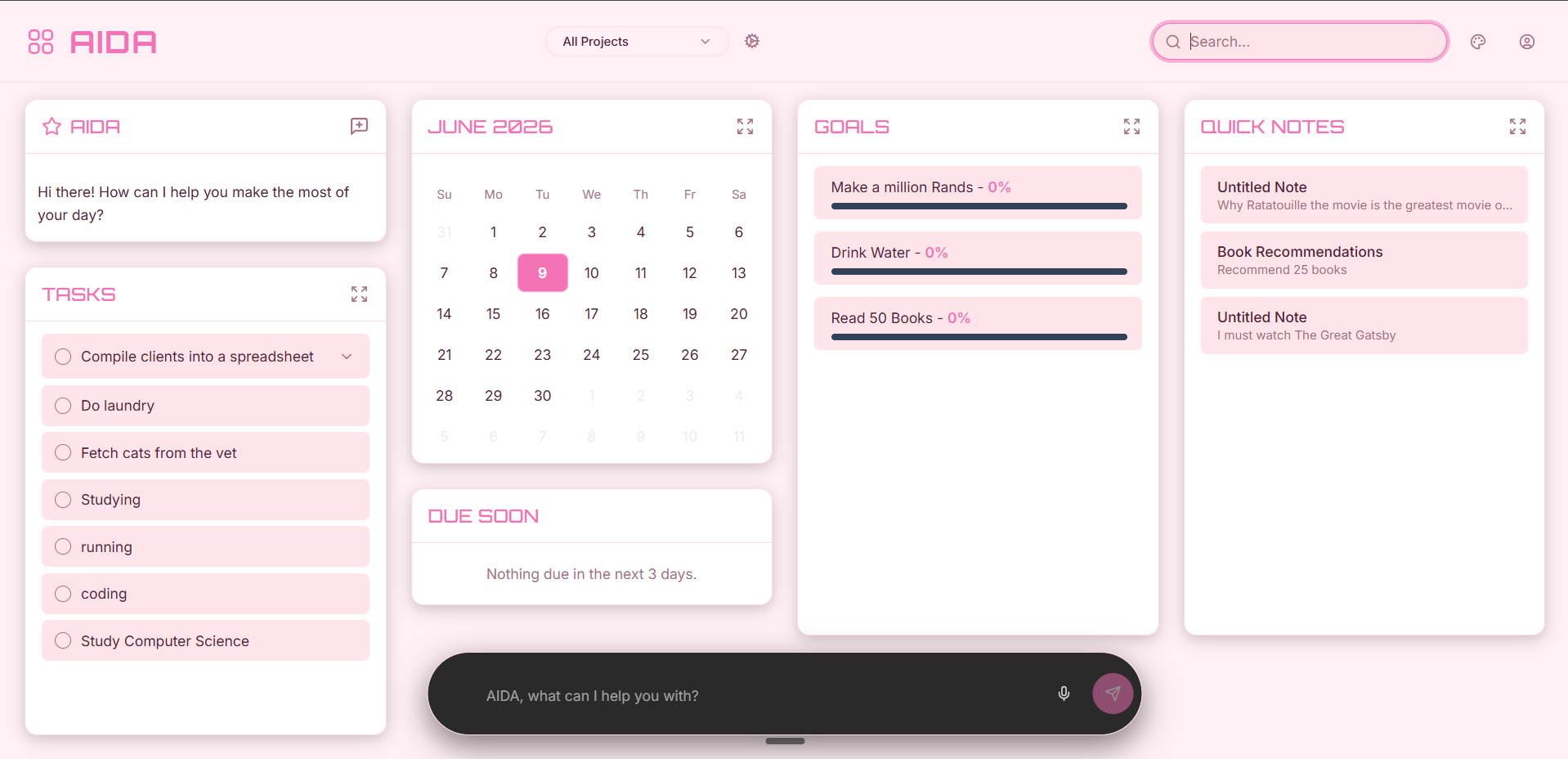
- Unified Dashboard: Displays quick summaries of tasks, upcoming events, and goal progress, with immediate access to full-screen management views.
- Project Selector: A header component allows filtering the entire dashboard and all underlying data views by project/category, ensuring context switching is instantaneous.
- Deep Theming: A custom
ThemeContextallows users to select from various color palettes (e.g., 'Default Cyan', 'Sakura Pink', 'Solar Yellow') and fonts. These choices are applied instantly by modifying CSS variables on the document root, ensuring seamless integration with Tailwind CSS and Shadcn/ui components.
Built with
Related work
- portfolioA sophisticated, self-updating portfolio platform built on Next.js and TypeScript…
- lead-generationA high-performance B2B lead generation engine built on FastAPI and Google Gemini (GenAI SDK).
- notebookAn AI-powered web application built with React and TypeScript that converts static PDF files into interactive…